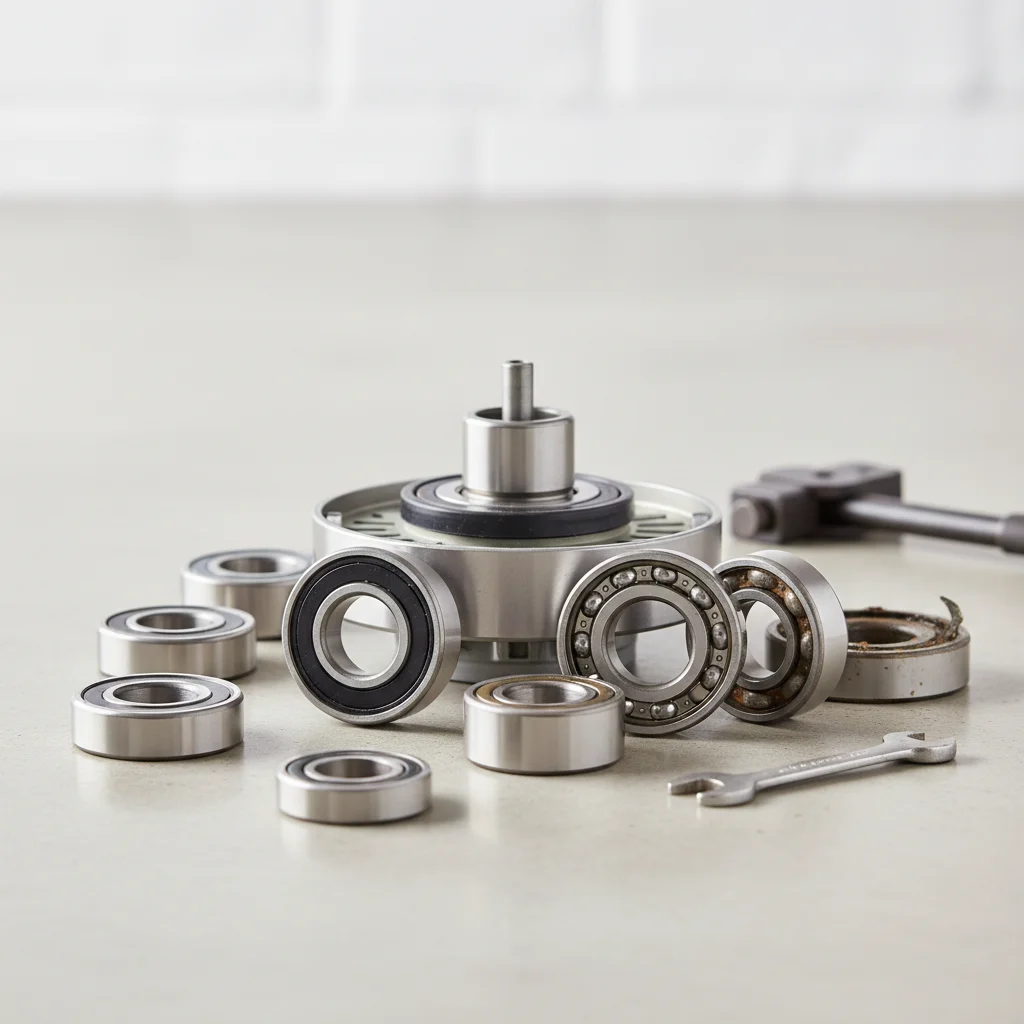
Ceiling fan bearings often fail due to a lack of lubrication, wear and tear over time, or exposure to dust and moisture, typically manifesting as grinding, squealing, or humming noises. Replacing these crucial components can restore quiet operation and extend the fan’s lifespan by several years. Most modern ceiling fans use sealed ball bearings, which are designed to be maintenance-free but can still degrade over continuous operation.
Understanding Ceiling Fan Bearings
Most ceiling fans use sealed ball bearings, designed to be maintenance-free. However, over years of continuous operation, the lubricant inside can dry out or become contaminated, leading to increased friction and eventual failure. Symptoms of failing bearings include a persistent mechanical noise that doesn’t go away with cleaning or tightening screws, and sometimes a noticeable wobble even when the blades are balanced.
Diagnosing Bearing Issues
Before attempting a replacement, it’s important to confirm that the bearings are indeed the source of the problem. First, ensure the fan is off and disconnected from power. Manually spin the blades; if you feel resistance, grinding, or hear a distinct metallic sound, it’s a strong indicator of bearing wear. You can also try applying a small amount of light machine oil to the shaft near the bearings, though this is often a temporary fix for sealed units.
Tools and Materials for Replacement
|
Our Picks for the Best Ceiling Fan in 2026
As an Amazon Associate I earn from qualifying purchases.
|
||
| Num | Product | Action |
|---|---|---|
| 1 | 41" Black Low Profile Ceiling Fans with Lights and Remote, Modern Flush Mount Ceiling Fan Light with Quiet Reversible DC Motor for Bedroom Kitchen |

|
| 2 | ZMISHIBO 52 Inch Ceiling Fan with Light, App&Remote Control, Flush Mount Low Profile, Dimmable 20W LED Light, Quiet Reversible Motor for Bedroom, Living Room, Apartment, Black |
|
| 3 | 41 inch Ceiling Fans with Lights, Black Flush Mount Ceiling Fan with Remote, 3CCT, LED Dimmable, Reversible, 6 Fan Speeds, Quite Low Profile Ceiling Fan with Lights Modern Bedroom Kitchen Indoor |
|
| 4 | Ceiling Fans with Lights, 42 Inch Ceiling Fan with Light And Remote, 3CCT Flush Moun Low Profile Ceiling Fans, 6 Speed Noiseless LED Ceiling Fan, Black Ceilings Fan with Remote for Bedroom Living Room |
|
| 5 | ZMISHIBO Ceiling Fans with Lights and Remote, 19.7'' Low Profile Ceiling Fan, 3000-6000K Dimmable Modern Flush Mount LED Fan Light, 6 Wind Speeds, Black Fandelier Ceiling Fans for Bedroom |
|
| 6 | Amico Ceiling Fans with Lights, 42 inch Low Profile Ceiling fan with Light and Remote Control, Flush Mount, Reversible, 3CCT, Dimmable, Noiseless, Black Ceiling Fan for Bedroom, Indoor/Outdoor Use |
|
| 7 | OJX Ceiling Fans with Lights, 52 inch Ceiling fan with Light and Remote/APP Control, 3CCT, Quiet DC Reversible, Dimmable, Modern Ceiling Fan for Bedroom, Living Room, Kitchen, Indoor/Outdoor Use |
|
| 8 | Passky Ceiling Fans with Lights, 52 inch Flush Mount Ceiling fan with Remote Control, Low Profile Ceiling Fan for Bedroom, Farmhouse, Reversible, 3CCT, Dimmable, Noiseless DC Motor, Black |
|
| 9 | Ceiling Fan with Light, 40" Black Flush Mount Ceiling Fans with Remote Control,3CCT Dimmable LED, ABS 5-Fan Blades,Reversible Motor,Quiet Low Profile Indoor fandeliers for Bedroom Living Room |
|
| 10 | Passky Ceiling Fans with Lights, 52 inch Sleek Ceiling Fan with Light and Remote Control, 3CCT, Dimmable, Reversible, Noiseless, Black Ceiling Fan for Bedroom, Living Room |
|
Replacing ceiling fan bearings requires a few specific tools. You’ll need a screwdriver set, a wrench, possibly a bearing puller, and the new replacement bearings. It’s crucial to identify the correct bearing size and type for your specific fan model. Consult your fan’s manual or look for markings on the existing bearings.
- Screwdriver set (Phillips and flathead)
- Adjustable wrench or socket set
- Bearing puller (if bearings are press-fit)
- New replacement bearings (match size and type)
- Light machine oil or grease (for reassembly)
Step-by-Step Bearing Replacement Guide
The process generally involves disassembling the fan motor housing, carefully removing the old bearings, and installing the new ones. Always start by turning off the power at the circuit breaker. Remove the fan blades, light kit, and motor housing cover. You’ll then need to access the motor shaft where the bearings are located. Some bearings can be gently tapped out, while others require a puller. Install the new bearings, ensuring they are seated correctly, and then reassemble the fan in reverse order. Test the fan at various speeds before fully securing it.
Preventative Maintenance and Longevity
While sealed bearings are designed for long life, you can still take steps to prolong your fan’s overall lifespan. Regularly clean your fan to prevent dust buildup, which can sometimes work its way into less-than-perfect seals. Ensure the fan is properly balanced to reduce stress on the motor and bearings. If your fan has unsealed bearings (less common in modern units), periodic lubrication with a high-quality motor oil can be beneficial.
Frequently Asked Questions
What are the common signs of failing ceiling fan bearings?
Common signs of failing ceiling fan bearings include grinding, squealing, or humming noises during operation. You might also notice a persistent mechanical sound that doesn't resolve with cleaning, or a noticeable wobble even if the blades are balanced.
Can I lubricate sealed ceiling fan bearings?
While sealed ceiling fan bearings are designed to be maintenance-free, applying a small amount of light machine oil to the shaft near the bearings can sometimes offer a temporary fix. However, for a permanent solution, replacement is usually necessary.
What tools are needed to replace ceiling fan bearings?
To replace ceiling fan bearings, you will typically need a screwdriver set (Phillips and flathead), an adjustable wrench or socket set, new replacement bearings matching your fan model, and potentially a bearing puller if the old bearings are press-fit.
How can I prevent ceiling fan bearing failure?
To prevent ceiling fan bearing failure, regularly clean your fan to avoid dust buildup and ensure the fan is properly balanced to reduce stress on the motor and bearings. For fans with unsealed bearings, periodic lubrication with high-quality motor oil can be beneficial.
Is it difficult to replace ceiling fan bearings myself?
Replacing ceiling fan bearings involves disassembling the motor housing, removing old bearings, and installing new ones. It requires careful attention to detail and specific tools, but a DIY enthusiast can often complete the task by following a detailed guide and ensuring power is off.
How to Replace Ceiling Fan Bearings
This guide outlines the steps to replace noisy or failing bearings in your ceiling fan, restoring its quiet operation.
Always begin by turning off the power to the ceiling fan at the circuit breaker for safety. Carefully remove the fan blades, light kit, and the motor housing cover to access the internal components.
Locate the motor shaft where the bearings are situated. Depending on your fan model, you may be able to gently tap out the old bearings, or you might need a bearing puller for press-fit units. Ensure you have identified the correct replacement bearing size beforehand.
Install the new replacement bearings, making sure they are seated correctly and securely. Then, reassemble the fan in the reverse order of disassembly, ensuring all components are properly aligned and tightened.
Before fully securing the fan to the ceiling, restore power and test the fan at various speeds. Listen for any unusual noises and check for smooth operation. If everything functions correctly, proceed to fully secure the fan.

My fan started making a grinding noise, and I figured it was the bearings. The guide was helpful for understanding why they fail, especially the part about dust and moisture. I managed to get the old ones out, but finding the exact right replacement bearings was a little trickier than I expected. The fan is better, but still a slight hum.
I had a persistent humming noise from my old ceiling fan that was driving me nuts. I was about to replace the whole thing, but after reading about how often sealed ball bearings are the culprit, I decided to try replacing them first. It was a bit of a project, but the fan is so much quieter now. Definitely worth the effort to extend its lifespan.
I’ve dealt with wobbly fans before, but this time it was accompanied by a distinct mechanical noise. It made sense after reading that continuous operation can degrade the lubricant in sealed bearings. The replacement process was straightforward, and my fan is back to silent, smooth operation. Great info!
This was a lifesaver! My ceiling fan developed a terrible squealing noise, and I thought it was a goner. I learned that lack of lubrication is a common cause. Following the advice, I replaced the bearings, and now it runs like new. So glad I didn’t have to buy a whole new fan.