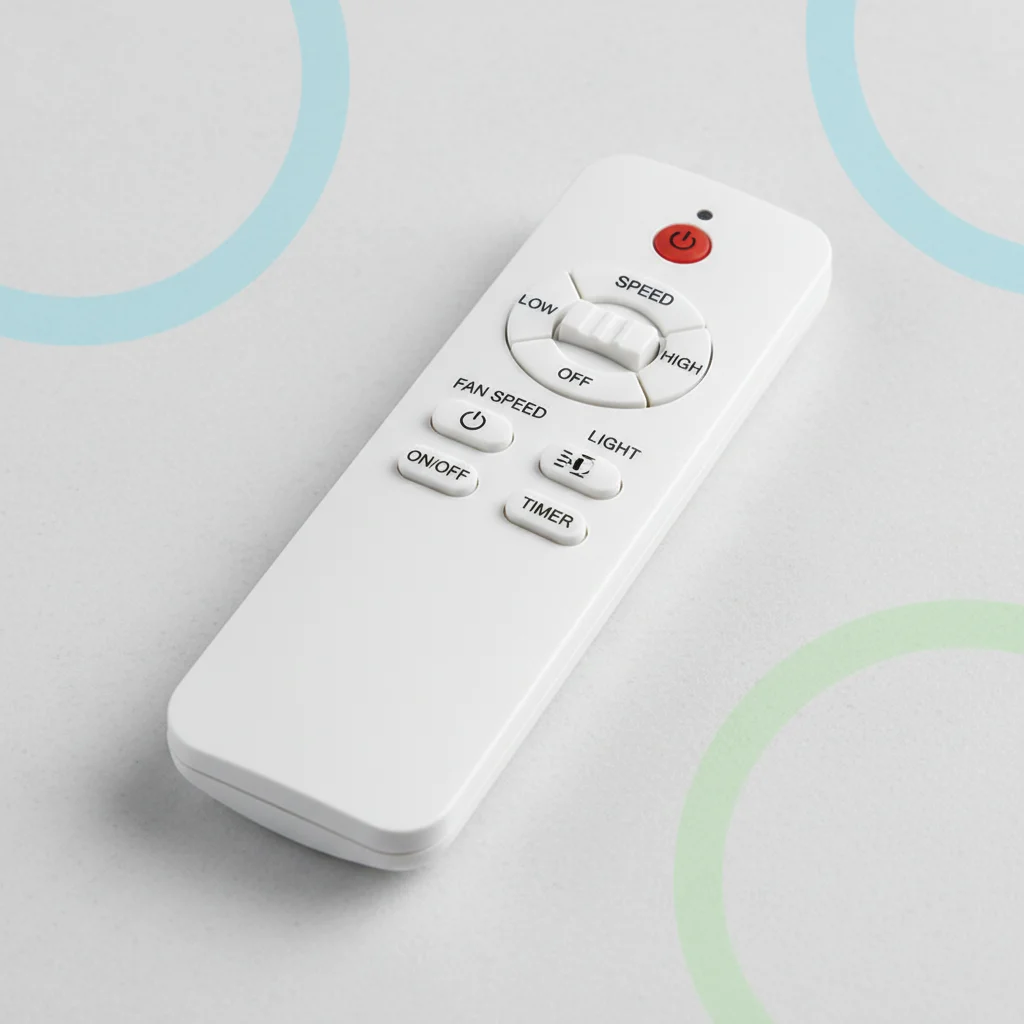
If your ceiling fan remote isn’t working, there are five common issues you can troubleshoot to get it functioning again. These include checking batteries, resetting the remote and receiver, verifying dip switch settings, inspecting wiring, and ensuring the remote is paired correctly. Often, a simple battery replacement or a quick reset is all it takes to restore control.
Check and Replace Batteries
The most frequent culprit for a non-responsive ceiling fan remote is dead or low batteries. Always start by replacing the batteries with fresh ones, ensuring they are inserted with the correct polarity. Even if the remote’s indicator light flashes, weak batteries might not be providing enough power for full functionality. After replacing, test the remote immediately.
Reset the Remote and Receiver
Sometimes, the remote and receiver can lose their synchronization. To reset, first turn off the power to the ceiling fan at the circuit breaker for at least 30 seconds. Then, restore power. Within 30 seconds of turning the power back on, press and hold the “Learn” button on your remote (or a specific combination of buttons as per your fan’s manual, often “Light” and “Fan Speed” simultaneously) until the fan light blinks or the fan briefly turns on. This indicates a successful pairing.
Verify Dip Switch Settings
Many older ceiling fan remotes and receivers use dip switches to set a unique frequency code. If these codes don’t match between the remote and the receiver, the remote won’t work. Carefully open both the remote’s battery compartment and the fan’s receiver (usually located in the canopy above the motor) to access these tiny switches. Ensure the pattern of ON/OFF switches is identical on both devices. If you’ve recently installed a new fan or remote, this is a critical step.
Inspect Wiring Connections
|
Our Picks for the Best Ceiling Fan in 2026
As an Amazon Associate I earn from qualifying purchases.
|
||
| Num | Product | Action |
|---|---|---|
| 1 | Ceiling Fans with Lights, 42 Inch Ceiling Fan with Light And Remote, 3CCT Flush Moun Low Profile Ceiling Fans, 6 Speed Noiseless LED Ceiling Fan, Black Ceilings Fan with Remote for Bedroom Living Room |

|
| 2 | 41 inch Ceiling Fans with Lights, Black Flush Mount Ceiling Fan with Remote, 3CCT, LED Dimmable, Reversible, 6 Fan Speeds, Quite Low Profile Ceiling Fan with Lights Modern Bedroom Kitchen Indoor |
|
| 3 | Passky Ceiling Fans with Lights, 52 inch Sleek Ceiling Fan with Light and Remote Control, 3CCT, Dimmable, Reversible, Noiseless, Black Ceiling Fan for Bedroom, Living Room |
|
| 4 | Amico Ceiling Fans with Lights, 42 inch Low Profile Ceiling fan with Light and Remote Control, Flush Mount, Reversible, 3CCT, Dimmable, Noiseless, Black Ceiling Fan for Bedroom, Indoor/Outdoor Use |
|
| 5 | 41" Black Low Profile Ceiling Fans with Lights and Remote, Modern Flush Mount Ceiling Fan Light with Quiet Reversible DC Motor for Bedroom Kitchen |
|
| 6 | OJX Ceiling Fans with Lights, 52 inch Ceiling fan with Light and Remote/APP Control, 3CCT, Quiet DC Reversible, Dimmable, Modern Ceiling Fan for Bedroom, Living Room, Kitchen, Indoor/Outdoor Use |
|
| 7 | ZMISHIBO Ceiling Fans with Lights and Remote, 19.7'' Low Profile Ceiling Fan, 3000-6000K Dimmable Modern Flush Mount LED Fan Light, 6 Wind Speeds, Black Fandelier Ceiling Fans for Bedroom |
|
| 8 | Ceiling Fan with Light, 40" Black Flush Mount Ceiling Fans with Remote Control,3CCT Dimmable LED, ABS 5-Fan Blades,Reversible Motor,Quiet Low Profile Indoor fandeliers for Bedroom Living Room |
|
| 9 | Passky Ceiling Fans with Lights, 52 inch Flush Mount Ceiling fan with Remote Control, Low Profile Ceiling Fan for Bedroom, Farmhouse, Reversible, 3CCT, Dimmable, Noiseless DC Motor, Black |
|
| 10 | ZMISHIBO 52 Inch Ceiling Fan with Light, App&Remote Control, Flush Mount Low Profile, Dimmable 20W LED Light, Quiet Reversible Motor for Bedroom, Living Room, Apartment, Black |
|
A loose or incorrect wiring connection between the fan and the receiver can prevent the remote from communicating. While this might require a bit more technical comfort, if you’re comfortable with basic electrical work, turn off the power at the breaker and carefully lower the fan canopy. Check that all wires are securely connected and that the receiver itself is properly wired into the fan’s electrical system. Look for any frayed wires or loose terminals. If you’re unsure, it’s best to consult a qualified electrician.
Consider Remote or Receiver Replacement
If all troubleshooting steps fail, either the remote control or the receiver unit may be faulty and require replacement. Before purchasing a new remote, try to borrow a compatible remote from a friend or neighbor to confirm if your existing remote is the issue. If a different remote works, you’ll only need to replace your remote. If not, the receiver is likely the problem. Many manufacturers sell replacement parts, or you can consider a universal remote kit.
- Check battery orientation and charge.
- Perform a power cycle and re-pairing sequence.
- Match dip switch codes on both remote and receiver.
- Ensure all electrical connections are secure.
- Consider a universal remote kit as a last resort.
When to Call a Professional
While many remote issues are simple fixes, some situations warrant professional help. If you’ve checked all the above and are still experiencing problems, or if you’re uncomfortable working with electrical wiring, it’s always safer to call a licensed electrician. They can diagnose more complex electrical faults or internal component failures within the fan or receiver.

I was about to buy a whole new remote because mine just quit. I remembered reading about checking the wiring as a potential issue. Turns out, a wire had come a little loose in the receiver unit. A quick tighten and everything is back to normal. Saved me money and a headache!
This was super helpful! My fan remote was acting really flaky, sometimes working, sometimes not. I followed the steps to reset the remote and receiver, and that completely solved the problem. It’s been consistent ever since. Definitely worth trying these steps before calling for service.
I had an issue where my remote wasn’t responding at all, even after new batteries. I tried the dip switch settings suggestion, but it didn’t seem to make a difference for my specific fan model. Ended up having to call customer service, which was a bit of a hassle. It’s working now, but it wasn’t as quick a fix as I hoped.
My ceiling fan remote suddenly stopped working and I was so frustrated! I tried replacing the batteries like it said, and sure enough, that was all it took. It’s working perfectly again now. So glad I didn’t have to call an electrician for something so simple!